







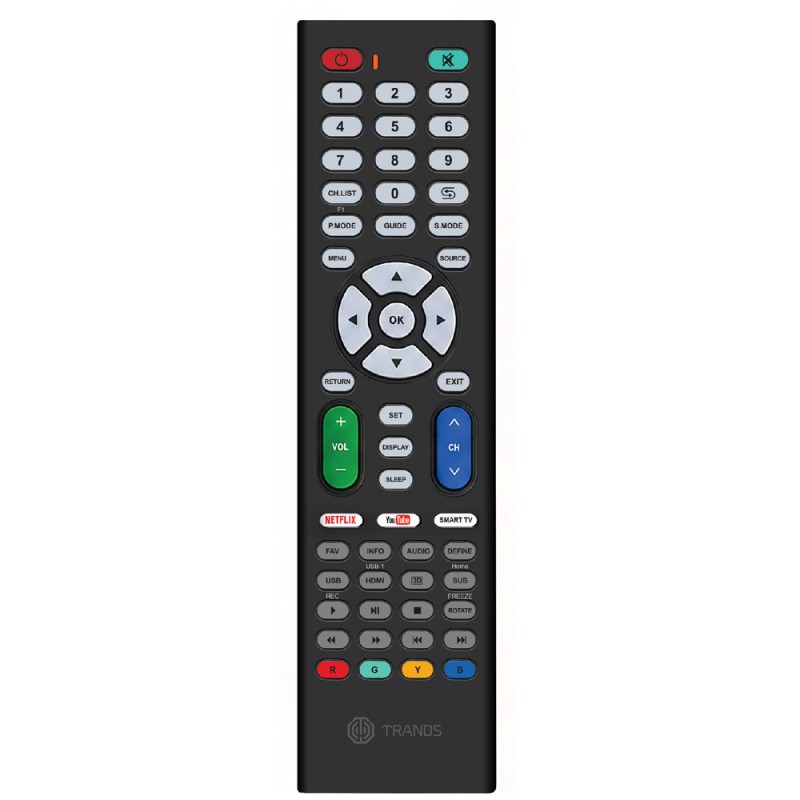
Universal LED/LCD TV Remote
- Dimensions: 21*5.3*3 cm
- Material: ABS
- Battery Required: AAA x 2 (Not Included)
Setup Methods:
- Setting with Brand:
For common LCD brands, press "SET" followed by "1, 2, 3, 4, 5..." The light will flash three times, indicating the setting is complete.
- Setting with Code:
If the TV brand is not common, please refer to the code in the manual.
Press "SET" and then "POWER", the light will be on.
Press the three codes [*]; the light will turn off and the setting will be complete.
- One Key Search:
If you can't find the picture of your TV remote control in the manual instructions, follow these steps:
Press and hold "SET" for a long time until the light shines.
When the "Volume" display appears on the TV, release the "SET" button immediately.
Check if the other buttons are working. If they are not, please try again 1-2 times.
- One-by-One Search:
Press "SET" + "POWER", the light will turn on.
Press "CH+" or "CH-" one at a time. When your LCD channel changes, check the other buttons. If it is not working, please try two more times.
- Automatic Search:
Press "SET" + "POWER", the light will turn on.
Press "POWER" again, the light will flash one time for each volume display on your TV.
Press "SET" to turn the light off, the setting is complete.